04 — Deploying as a remote HTTP server
Everything so far ran locally over stdio — Claude Code launches the server as a process on my own machine, so only I can use it. Real production MCP servers are usually hosted and reachable over HTTP, so any client can connect without needing my Python environment set up locally.
Switching transport based on environment
Render always sets a PORT environment variable; my own machine never does. That's enough to pick the right transport automatically, without two separate files:
import os

if __name__ == "__main__":
    port = os.environ.get("PORT")
    if port:
        mcp.run(transport="streamable-http", host="0.0.0.0", port=int(port))
    else:
        mcp.run()
Locally: no PORT set, so it falls back to stdio, unchanged. On Render: PORT is always set, so it runs as an HTTP server instead. host="0.0.0.0" matters too — the SDK's default is 127.0.0.1, which only accepts connections from the same machine. A public service needs to listen on every network interface.
Getting a requirements.txt
pip freeze > requirements.txt
Render needs this to know what to install — my local venv isn't something it can see.
Verifying locally before deploying
Before trusting this on Render, I ran it locally with a fake PORT and hit the /mcp endpoint directly:
PORT=8123 python3 server.py &
curl -i http://localhost:8123/mcp
Got back 400 Bad Request from a bare curl call — and that's actually the right result. It proves the server is listening on /mcp and handling requests; a plain curl just doesn't speak the real MCP handshake a proper client does. A connection refused or a 404 would have meant something was actually wrong; a 400 from the right path means the server itself is fine.
Deploying
Pushed the repo to GitHub, then created a Render Web Service pointed at it:
- Build command:
pip install -r requirements.txt - Start command:
python3 server.py - Free instance type
Render set PORT automatically — no manual config needed. Build succeeded, and the service came up at https://nikblog-mcp.onrender.com.
Connecting Claude Code to the remote server
claude mcp add --transport http nikblog-remote https://nikblog-mcp.onrender.com/mcp
The real difference from the local setup: no Python path, no venv, just a URL. That's the entire point of hosting it — anyone with an MCP-compatible client can connect to this exact URL, not just me on this machine.
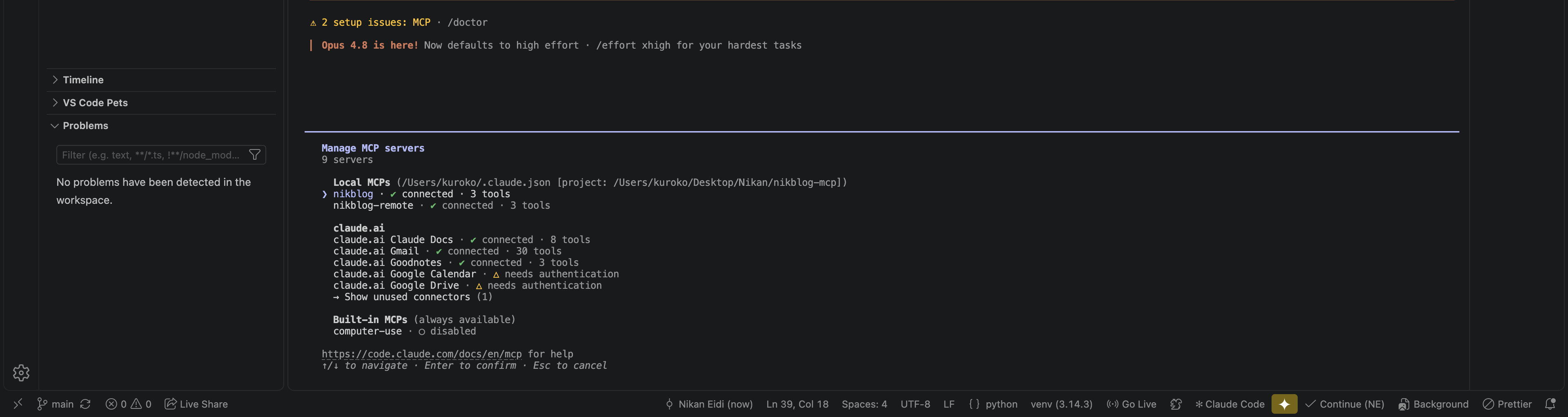
/mcp showed nikblog-remote · ✓ connected · 3 tools, confirmed alongside the original local nikblog server still connected too — both can coexist:
Verified working, for real, over the network
Asked "use nikblog-remote to list my projects" and got back the real, live list of all 11 projects — pulled by a server now running on Render, not on my laptop:
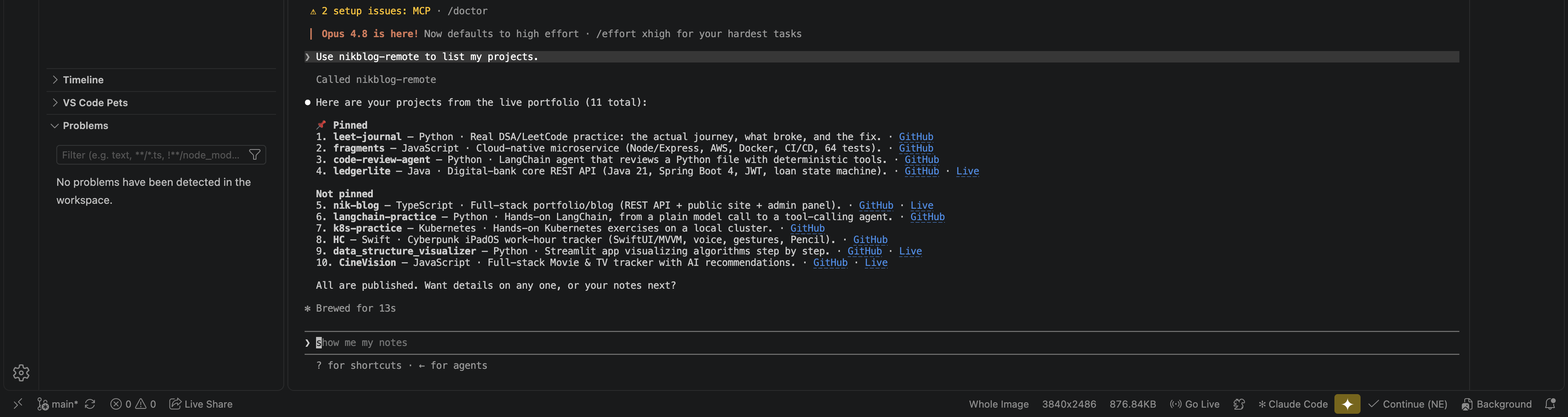
This is the version of the project that actually proves the point: a standalone MCP server, hosted and reachable by any client, not a script that only works because I happen to be the one running it.